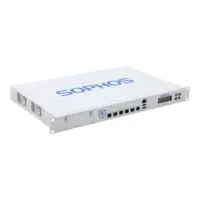
Recently I wanted to upgrade the CPU in my Sophos SG 210 Rev. 2. The stock CPU is a Celeron G1830, so I bought an i7-4785T – 4 cores, 8 threads and only 35W, which sounds perfect for a firewall.
Inside is a board with the Intel H81 chipset and Socket 1150. The Celeron works, and an i5-4670K also works without any problems. The i7-4785T however did nothing. No POST screen, no beep, nothing. Not very expressive.
So I dumped the BIOS under FreeBSD with flashrom:
flashrom -p internal -r bios.rom -c "W25Q64BV/W25Q64CV/W25Q64FV"The first thing I looked for was a CPU whitelist. It is an AMI Aptio BIOS and I could not find a list of allowed CPU models. What I did find was old firmware. The microcode for CPUID 306C3 was revision 0x09 from April 2013 and the Intel Management Engine was 9.0.13.1402 from June 2013. The i7-4785T is a Haswell Refresh CPU, so both are older than the CPU itself.
The good news: the BIOS chip is socketed! It is a Winbond W25Q64FV (marking 25Q64FVSIG), 8 MB in a SOIC-8 package. This makes testing very easy, because you can flash a second chip and keep the original one untouched. Flashing it from the running system is not an option anyway, as the BIOS region is locked.
To flash the chip I used a CH341A Pro. Be careful with this one: mine had 3.3V on VCC but 5V on the CS pin, which is out of spec for this chip. So I modded the programmer to 3.3V first.
First try: microcode only. I took revision 0x28 (November 2019) from Intel’s microcode repository and replaced it in both places where the BIOS stores it. The new file is bigger, so I had to drop an old pre-production microcode to make it fit, and the FFS file checksum has to be recalculated.
Result: the Celeron and the i5-4670K boot fine with it. The i7-4785T still does nothing.
Second try: Intel ME. I used ME 9.1.40.1000 for the 1.5MB firmware and replaced only the code parts (FPT, GLUT, FTPR, NFTP, MDMV) in the ME region. The configuration from my dump (EFFS etc.) stayed in place, and the microcode update stayed in as well.
Be aware that many people recommend ME 9.0 for 8-series boards, because ME 9.1 can cause BCLK and fan control issues if the BIOS is not prepared for it. On the other hand BCM moved their H81 board MX81H to ME 9.1 in the same BIOS update that added Haswell Refresh support, so it is not unusual. With a socketed chip I could simply try it.
Et voila, the system boots and the i7-4785T is running!
Technically I can’t tell if the ME update alone would have been enough, as the new microcode was already in the image. But microcode alone did not do it, and microcode plus ME did.
If you try this: always keep a backup of your original chip, ideally a second chip for testing, and check your fans and temperatures afterwards.
Additionally I gave my Sophos a 4-Port 10Gbe NIC. Its 50 USD on eBay and the FlexiPort is just a turned PCIe. I bought a CPAC-4-10F-C (Checkpoint) its a 4-Port Intel X710-DA4 and accepts all SFPs. There was no restriction on Intel or Checkpoint SFPs.
Hope this helps. Good luck!
Recent Comments